 Keylight
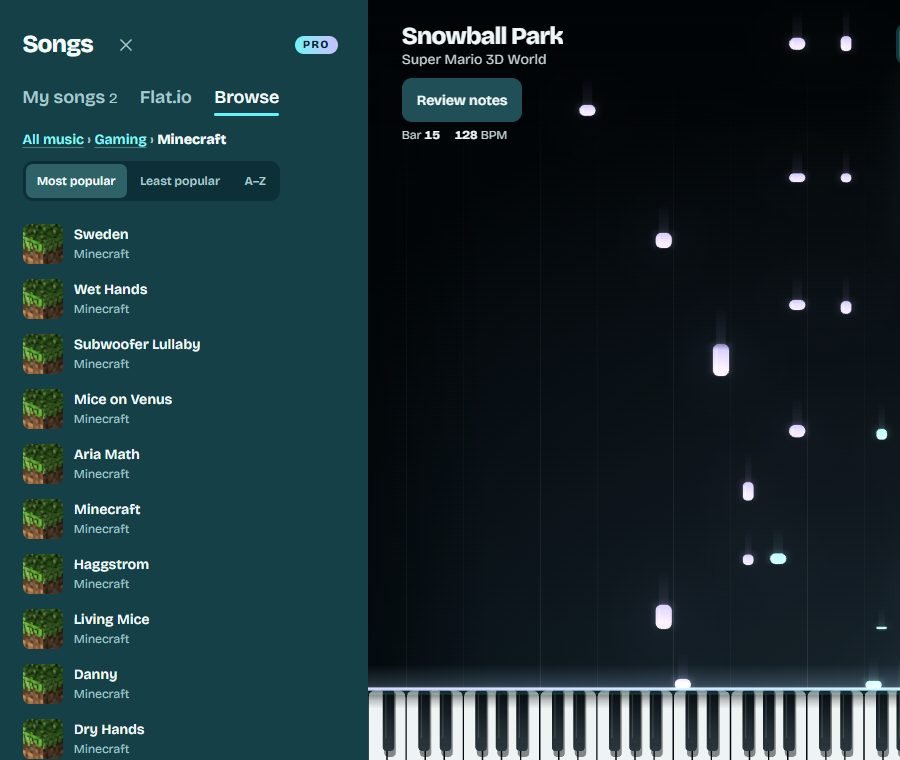
Over a thousand songs, sorted the way you'd look for them.
Browse games, anime, film, pop and the classics, sorted by popularity. Or search thousands of free public scores on Flat.io, or drop in your own MIDI and MusicXML files.
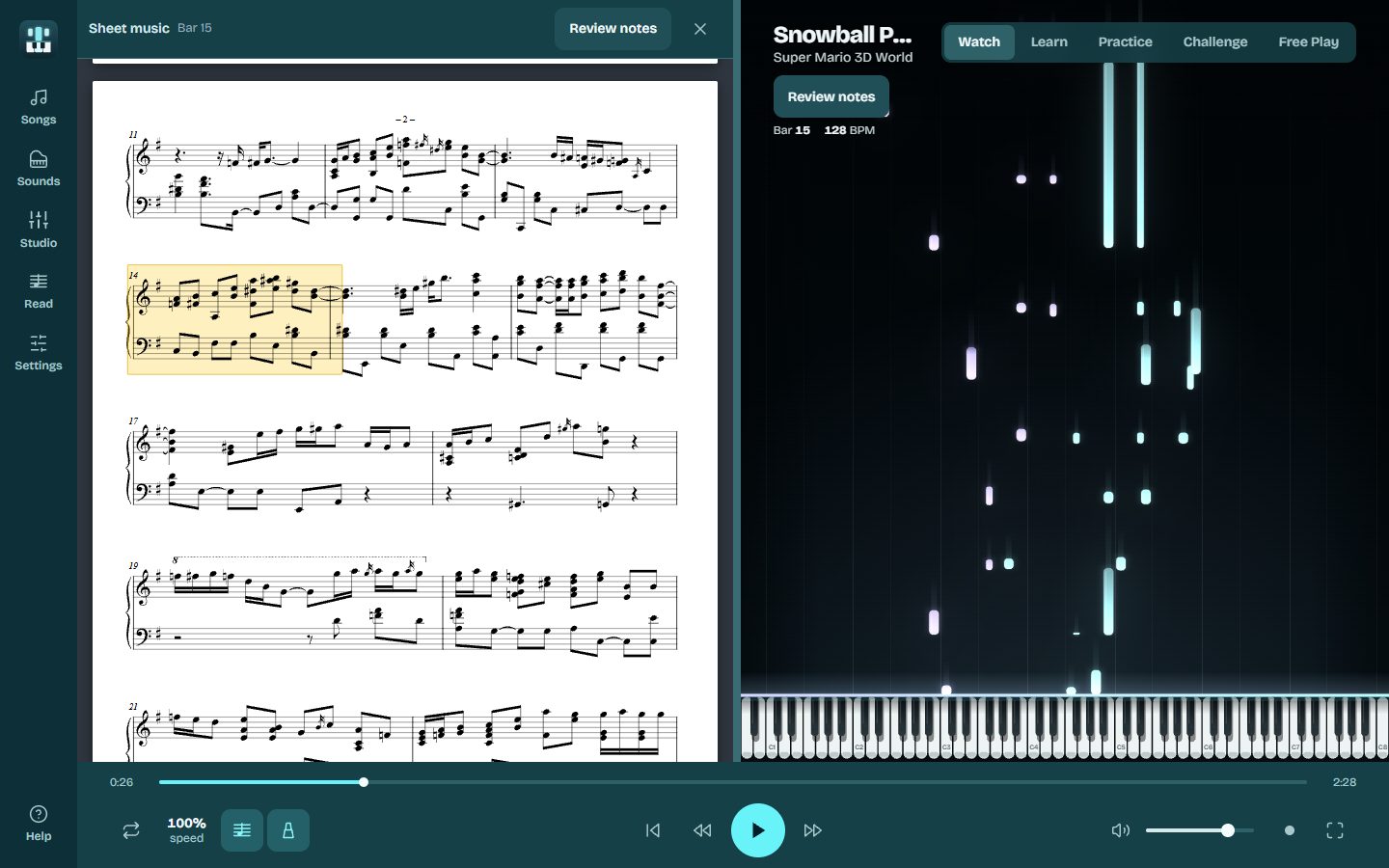
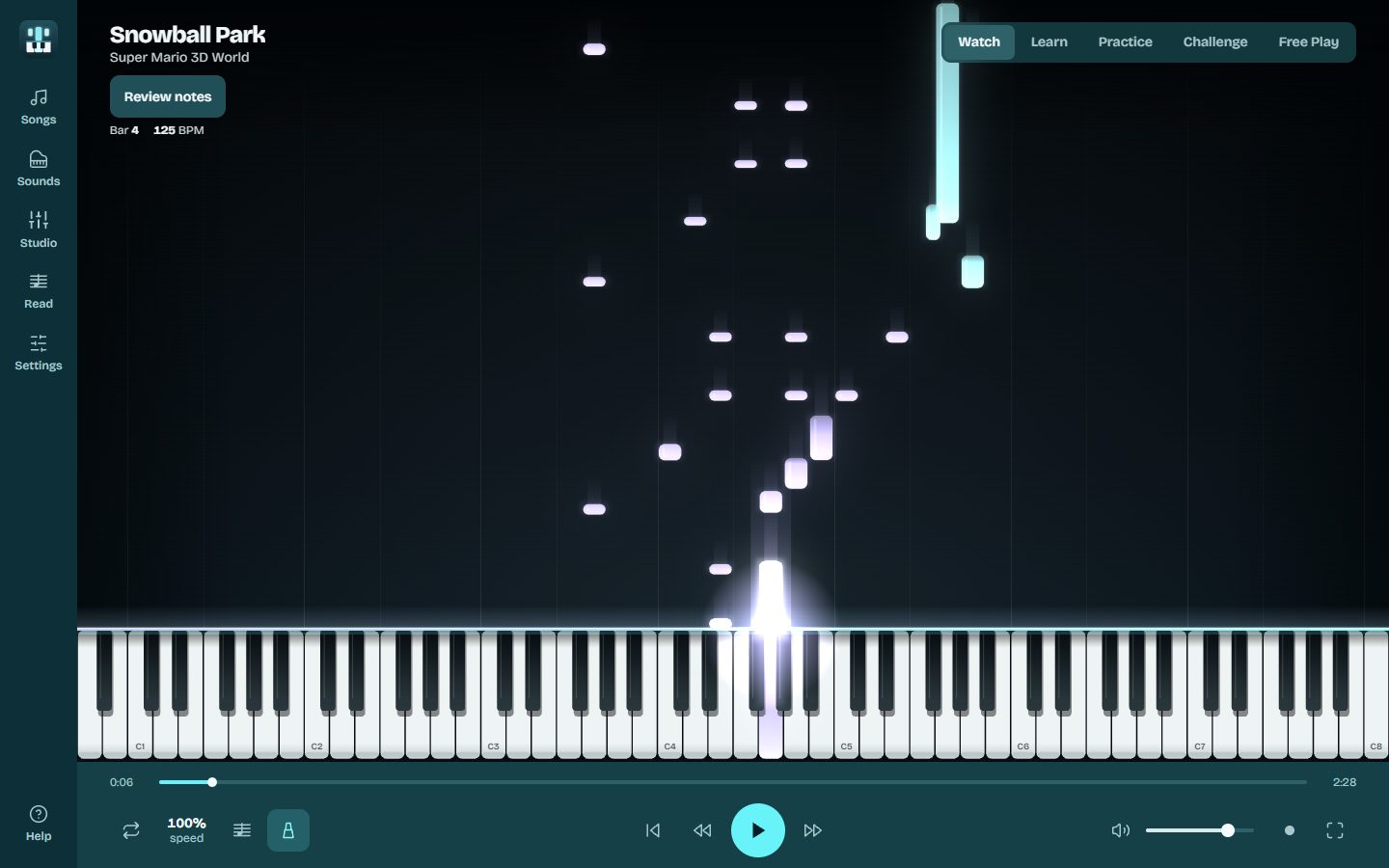
Falling notes, the real sheet music next to them, and every song arranged for your level, from your first week to concert-ready.
No account. Works with a MIDI keyboard, your own piano through the mic, or your computer keys.
Four steps, all in one place.
Browse games, anime, film, pop and the classics, sorted by popularity. Or search thousands of free public scores on Flat.io, or drop in your own MIDI and MusicXML files.
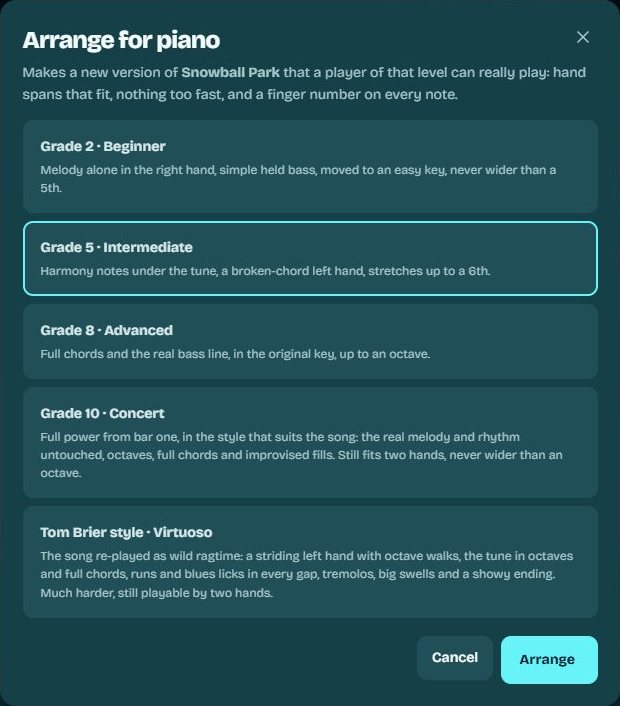
Beginner, Intermediate, Pro or Very pro. Keylight rewrites the song: the tune stays, hand stretches fit, nothing is too fast, and every note gets a finger number.
Watch it first. In Learn mode the song waits for you to press the right keys; Practice slows it down and loops the hard bar; Challenge scores your timing.
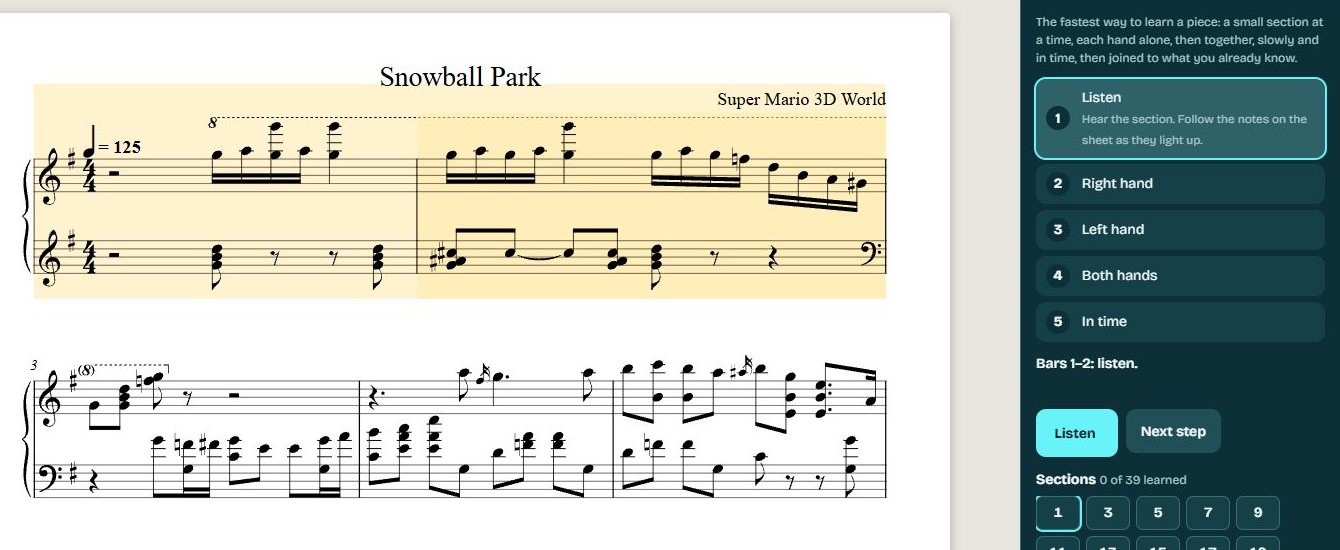
Read takes you through two bars at a time: listen, right hand, left hand, both, then in time with a click. It remembers what you've learned, and prints the sheet as a PDF.
The opening of Ode to Joy, arranged by Keylight for each level. Switch between them, or press play.
Not a game you finish once. The tools a teacher would give you, in the order you need them.
Every song shows its engraved score next to the falling notes, with the current bar boxed. You learn to read without noticing.
A MIDI keyboard, your acoustic piano through the microphone, or just your computer keys.
Fingering is worked out for your hand size and level, so the passage feels right the first time.
Practice slows any part down and repeats it until it's in your fingers, then speeds back up.
No account. Your songs stay in your browser or on your PC; nothing is uploaded.
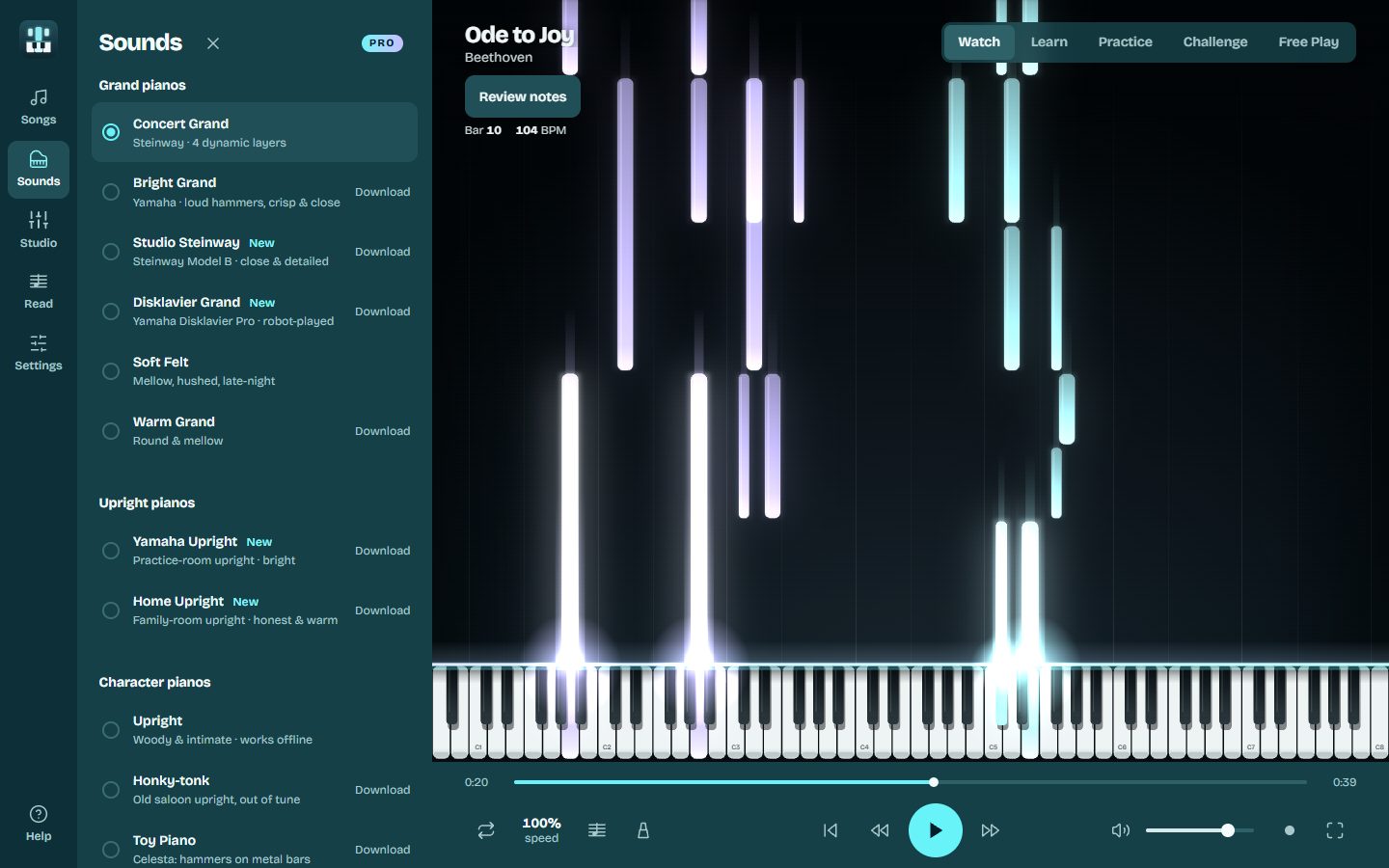
From a Steinway concert grand to a honky-tonk upright, a Wurlitzer and an '80s FM e-piano. Mostly real recordings, all credited in the app.
From Minecraft to Chopin. Every one at the level you choose.
This is the full app, not a video. Press start, then open Songs and Browse to pick something.
The browser version does almost everything. The Windows app adds the heavy lifting, done on your own computer.
Any computer, phone or tablet
Everything in the browser, plus
Windows 10 or 11. Setup takes a few minutes, installs Python if you don't have it, and uses roughly 1 to 1.5 GB.
Free to play. Pro when you want everything.
Forever
Planned: 7 days free, then $5 a month billed yearly.
Something else? Write to us: we usually reply within 3 working days.
No. Your computer keys work, and so do the keys on the screen. A MIDI keyboard is the most precise, and with an acoustic piano Keylight listens through the microphone and checks that you played the notes it expected.
Yes, in the browser. Add it to your home screen and it opens like an app. iPhones and iPads can't use MIDI keyboards in a browser, so use the microphone there.
Any song from Browse that has a free public score on Flat.io, any of the thousands of scores on Flat.io itself, and your own MIDI or MusicXML files. Songs without a free score can't be played in the browser.
On your device, in your browser. Your songs are never uploaded; Keylight only sends song titles and your searches online, to find scores and cover pictures. “Back up my songs” in the app saves them to a file you can restore on any computer.
Sixteen piano and keyboard sounds, most of them real recordings, from a Steinway concert grand to a honky-tonk upright. Most are public-domain or Creative Commons sets; the credits are under Sound licenses in the app.
Windows SmartScreen warns about new programs it hasn't seen many people install yet. If the blue window appears, choose More info, then Run anyway.
No: only transcribe a video you have the rights to, such as your own recording, a public-domain performance, or one whose owner lets you use it. Keylight writes the notes down for your own practice; see the Terms. Solo piano comes out closest.
The browser version works on a Mac. The ready-made app for YouTube and PDF is Windows-only for now.
Free, in your browser, no account.